
AI has changed what it means to build a Flutter app.
A couple of years ago, the standard workflow was straightforward: install Flutter, configure Android Studio or VS Code, set up Xcode if you were targeting iOS, get an Android emulator or iOS simulator running (or plug in a real device), and write Dart code yourself.
Today, you can describe a feature in plain English and have an AI coding agent implement it. The more interesting question is no longer whether AI can write Flutter code. It can.
The question is where you want the development environment to live, and how much of the mobile development workflow you want the AI platform to handle for you.
There are now roughly three ways to approach it.
1. Build locally with Codex or Claude Code
The most flexible option is still a traditional local Flutter setup combined with an AI coding agent.
Tools such as OpenAI Codex and Claude Code can inspect an existing Flutter project, modify multiple files, run commands, debug errors and implement features from relatively high-level instructions.
The workflow might look like this:
flutter create my_app
cd my_app
Then you open the project with your preferred coding agent and ask it to start building.
For an experienced developer, this can be extremely powerful. You keep direct control over:
- the Flutter project
- dependencies
- architecture
- native Android and iOS configuration
- source control
- the build environment
The trade-off is that AI has not removed the development environment itself.
You still need Flutter installed. You still need the Android SDK for Android development. For local iOS builds, you still need macOS and Xcode. You also need to manage emulators and simulators, signing, package compatibility and the usual mobile tooling.
AI makes writing and modifying the code dramatically faster. It does not automatically remove everything around the code.
2. Use OpenCode with open-weight models
Another interesting route is OpenCode, particularly for developers who want more control over which model is doing the coding.
OpenCode supports multiple model providers and can also be used with open-weight models, including models running through local inference tools.
That creates a different kind of setup.
Instead of asking only which coding agent should I use?, you can also decide:
- which model writes the code
- whether inference happens locally or through a hosted provider
- how much control you want over cost and infrastructure
This is increasingly relevant as open-weight coding models improve.
But the basic trade-off remains the same: you are still running a Flutter development environment. The agent is operating inside that environment rather than replacing it.
For developers who enjoy controlling their toolchain, that can be exactly what they want.
3. Move the Flutter environment into the cloud
There is another direction, one FlutLab users already know well.
Instead of installing and maintaining the full Flutter toolchain locally, FlutLab provides a cloud-based Flutter development environment in the browser. You work with a regular Flutter project: Dart code, dependencies, Git. What changes is what you stop maintaining. The preview runs in the browser, and Android, iOS and web builds run on FlutLab's servers, so there is no SDK to install, no Android toolchain to keep updated and no Mac needed for iOS builds.
AI-first platforms take the same cloud idea one level of abstraction higher.
Rather than giving you an IDE with AI helping you write the code inside it, they start from the description: the agent creates and owns the whole project, and you steer it by describing what you want instead of editing the code.
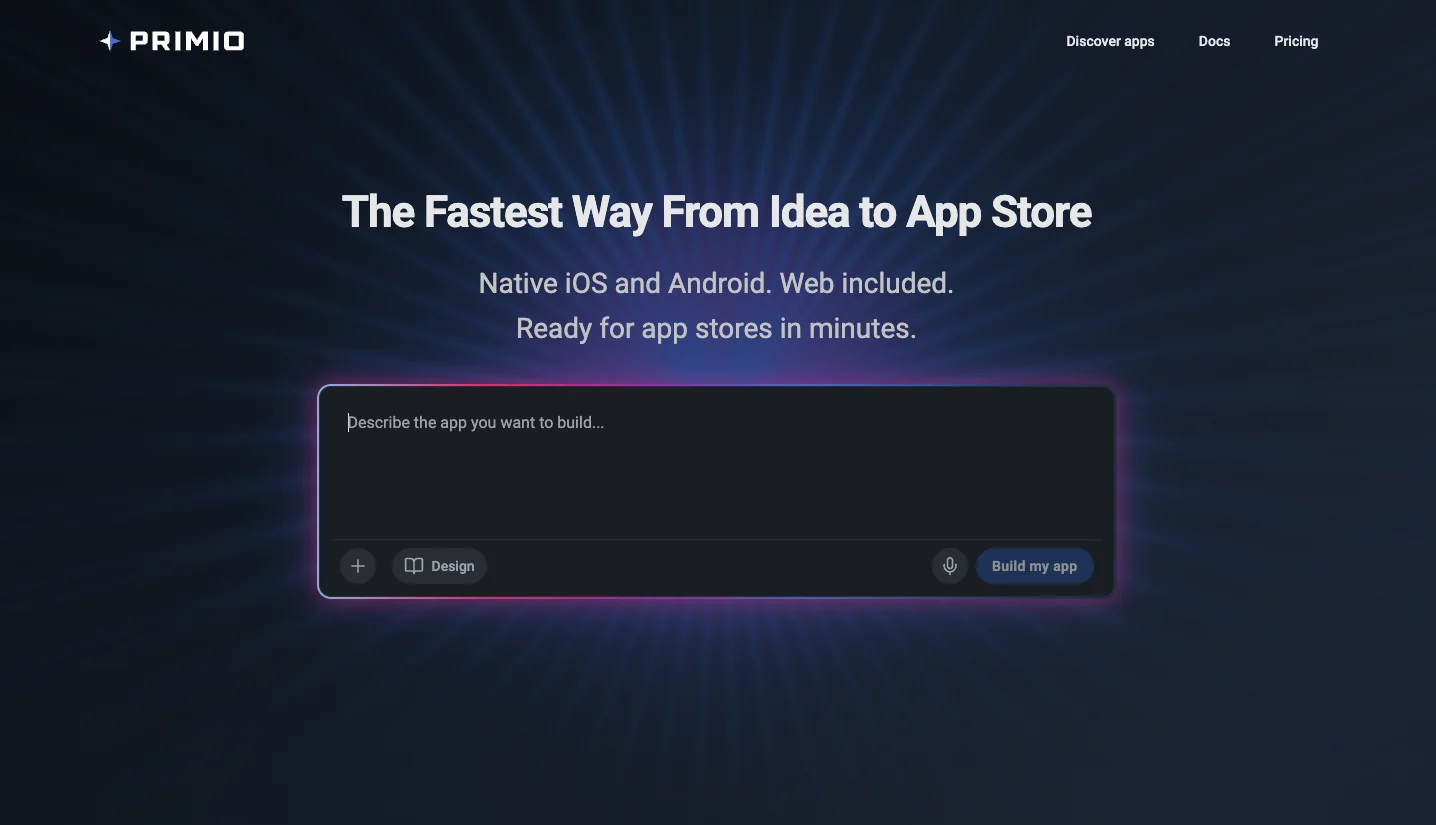
This is the model we use at Primio.
You describe what you want to build, the AI generates the Flutter project from scratch and modifies it as you go, and you can preview and test the result on an iOS simulator or Android emulator without setting up Flutter locally.
The larger idea is that code generation is only one part of building a mobile app.
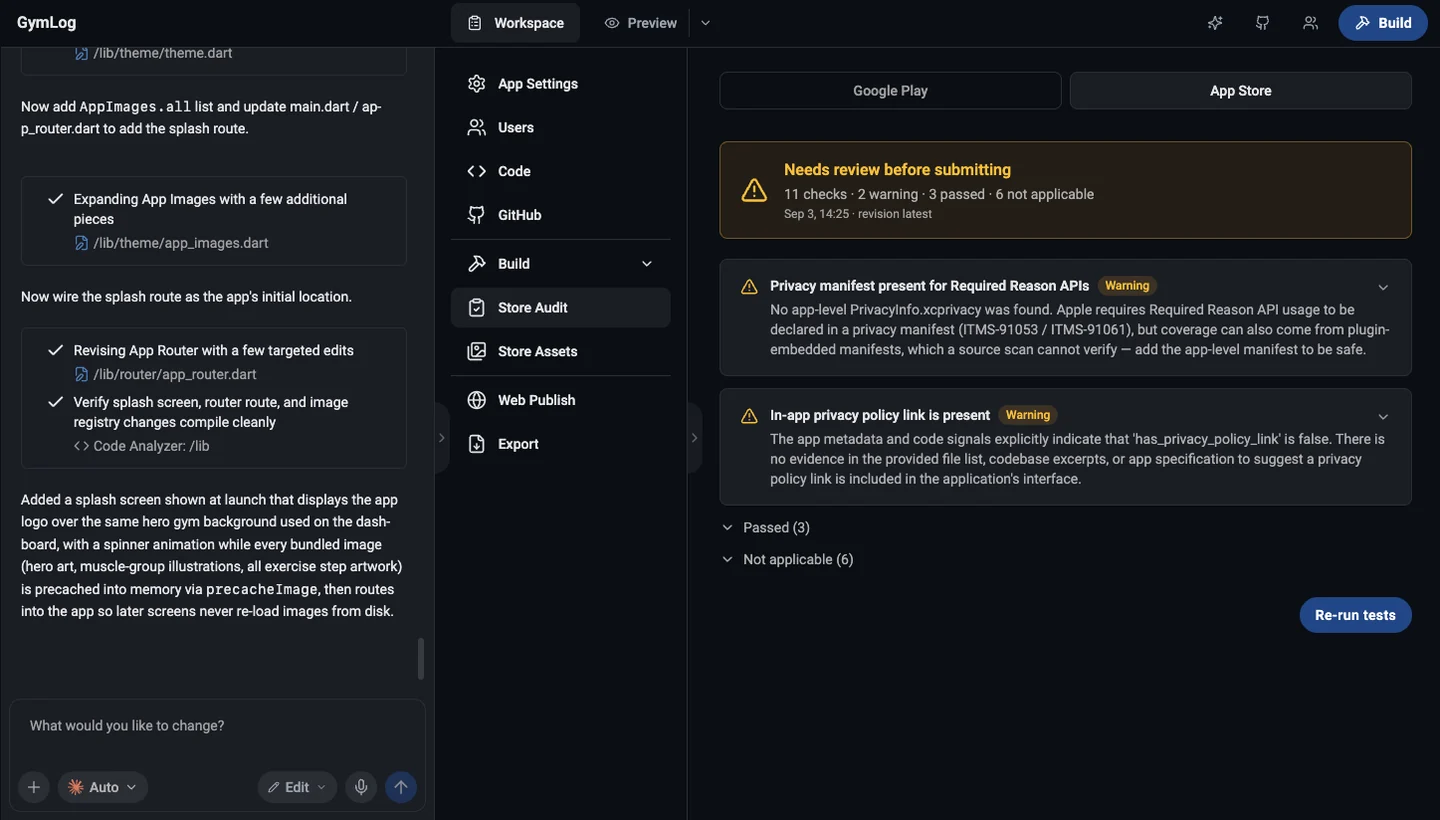
A usable mobile development workflow also involves things such as:
- previewing the application
- testing it on different devices
- producing Android and iOS builds
- handling signing
- preparing store assets
- eventually publishing the application
Primio combines prompt-to-code development with mobile emulators, Android and iOS builds, and store-related tooling in the same environment.
That makes it a different proposition: not a faster way to code, but a shorter path from the idea to a published app.
Code generation is becoming the easy part
This is probably the biggest change AI is creating in software development.
Producing code used to be one of the most expensive parts of building software. AI is pushing that cost down very quickly.
But mobile applications still have to work outside the code editor.
A Flutter app needs to behave correctly on different screen sizes. Packages need to support the target platforms. Native permissions may need configuring. Android and iOS builds need to compile. The application needs to survive real-device testing.
And after all of that, someone still has to get it into the App Store or Google Play.
This is why I think the distinction between AI coding tools and AI app-building platforms will become increasingly important.
One optimizes the act of writing software.
The other tries to compress the whole path from an idea to an installable product.
Our own internal generation system reflects that distinction. It is instructed not only to generate valid Dart, but also to maintain consistent architecture, responsive layouts and mobile/web compatibility.
The objective is not simply to produce code that looks plausible in a chat window. It has to compile and continue to be maintainable as the app changes.
AI still needs good instructions
Whichever approach you use, prompting matters.
Compare:
Build me a notes app.
with:
Build a Flutter notes app for Android and iOS. Users should be able to create, edit and delete notes. Store them locally on the device. Do not add accounts or cloud sync yet. Ask for confirmation before deleting a note and prevent empty titles.
The second prompt gives the agent decisions it would otherwise have to guess.
A useful rule is to define:
what the user can do, what data should persist, and what is explicitly outside the scope of the first version.
Then iterate.
Get the basic app working first. Add search next. Add cloud sync later. Add authentication when you actually need it.
Smaller iterations make AI-generated software much easier to evaluate.
Test the app, not just the generated code
A successful AI response is not the same thing as a successful application.
At minimum, test the main user flow.
If you are building a notes app:
- Create a note.
- Close the app.
- Reopen it.
- Edit the note.
- Delete it.
- Try the same flow on the target platforms.
For local development, tools such as flutter analyze and flutter test remain useful.
For cloud environments, use the available device or emulator testing rather than relying only on a browser preview.
This matters especially with Flutter because a web preview and a native mobile build are not identical environments.
The closer you get to publishing, the more important real mobile testing becomes.
Which approach should you choose?
There is no single correct workflow.
If you are an experienced Flutter developer working on an existing codebase, Codex, Claude Code or OpenCode inside a local development environment can give you enormous productivity gains while keeping maximum control.
If you want to work directly with Flutter code but without the local setup, FlutLab gives you the full IDE in the browser: your files, your Git, cloud builds, and an AI coding copilot inside the editor.
And if you want the AI to handle more of the development workflow itself, from generating the Flutter application through testing and builds, a cloud AI app builder such as Primio takes the abstraction another step further.
The interesting part is that these approaches are not mutually exclusive.
You might prototype an app in Primio, export the Flutter project and open it in FlutLab when you want to see and change the code yourself. Go local with Claude Code or Codex when you need native details or maximum flexibility.
And come back to Primio when it is time to get the app ready for the stores.
Ultimately, the best tool is the one that removes the parts of mobile development you do not want to manage while leaving you enough control over the parts you do.
AI is making Flutter code much cheaper to produce.
The next competition is going to be about everything that happens around that code.
About the author: Sebastian Szczygiel is co-founder and CEO of Primio, a cloud-based AI platform for building and shipping Flutter apps.
