
Habit Tracker
Intro
In this project, you will work with a real Flutter app that already runs.
You do not need to create anything from scratch.
Your job is simple:
-
open the project
-
find the TODO STEP comment in code
-
make a small change
-
run the app
-
see the result immediately
Step 0: Open the project in Sandbox
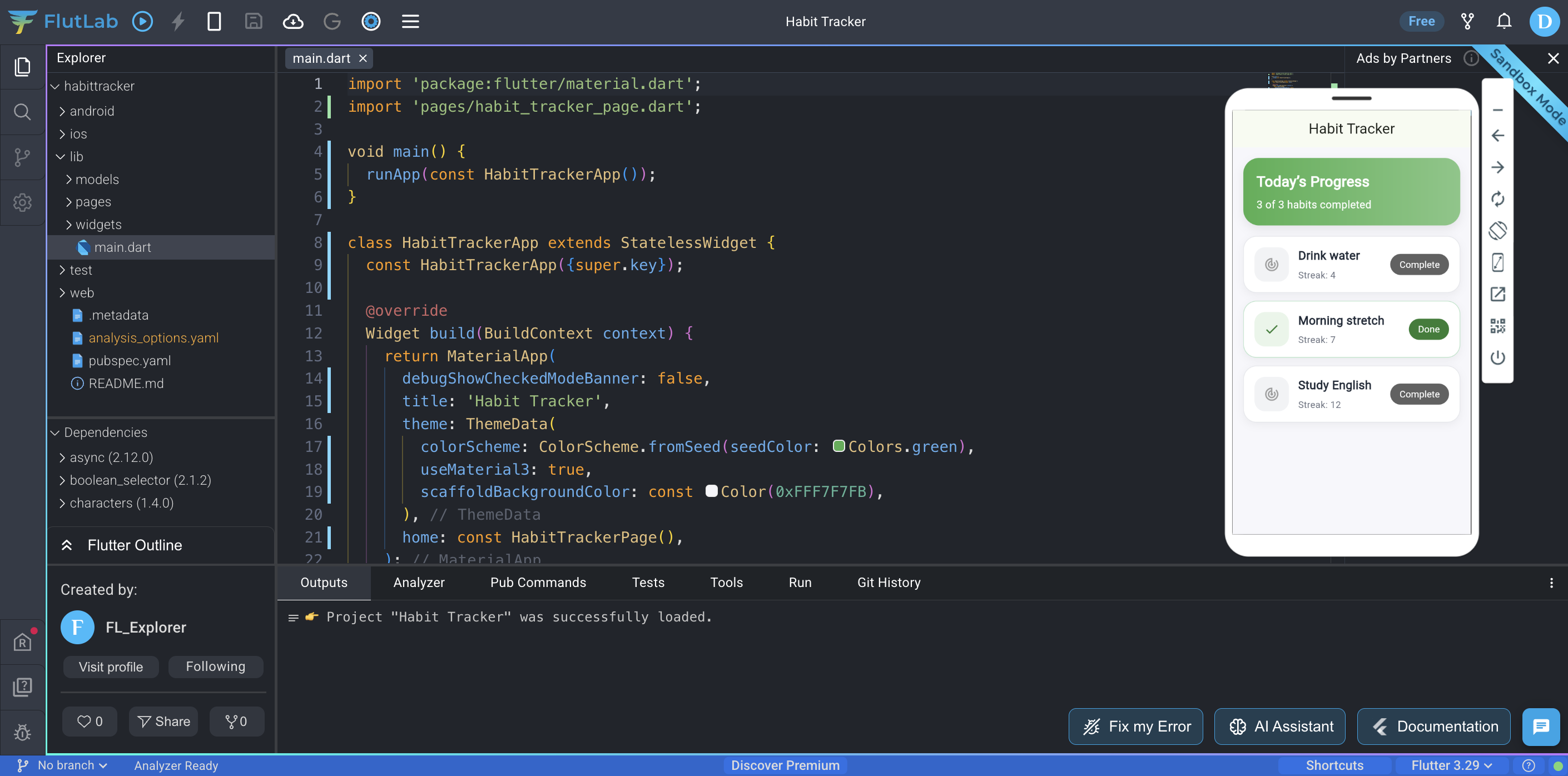
Click Start project to open the app in Sandbox. The project is already fully working - you don’t need to set up anything.
Once Sandbox opens:
-
press Build Project (Ctrl+B)
-
make sure the app starts correctly
Expected result:
You should see the Habit Tracker screen with a list of habits.
Step 01: Enable the TODO list
In Sandbox, open the Tools tab in the bottom panel and click TODO list button.
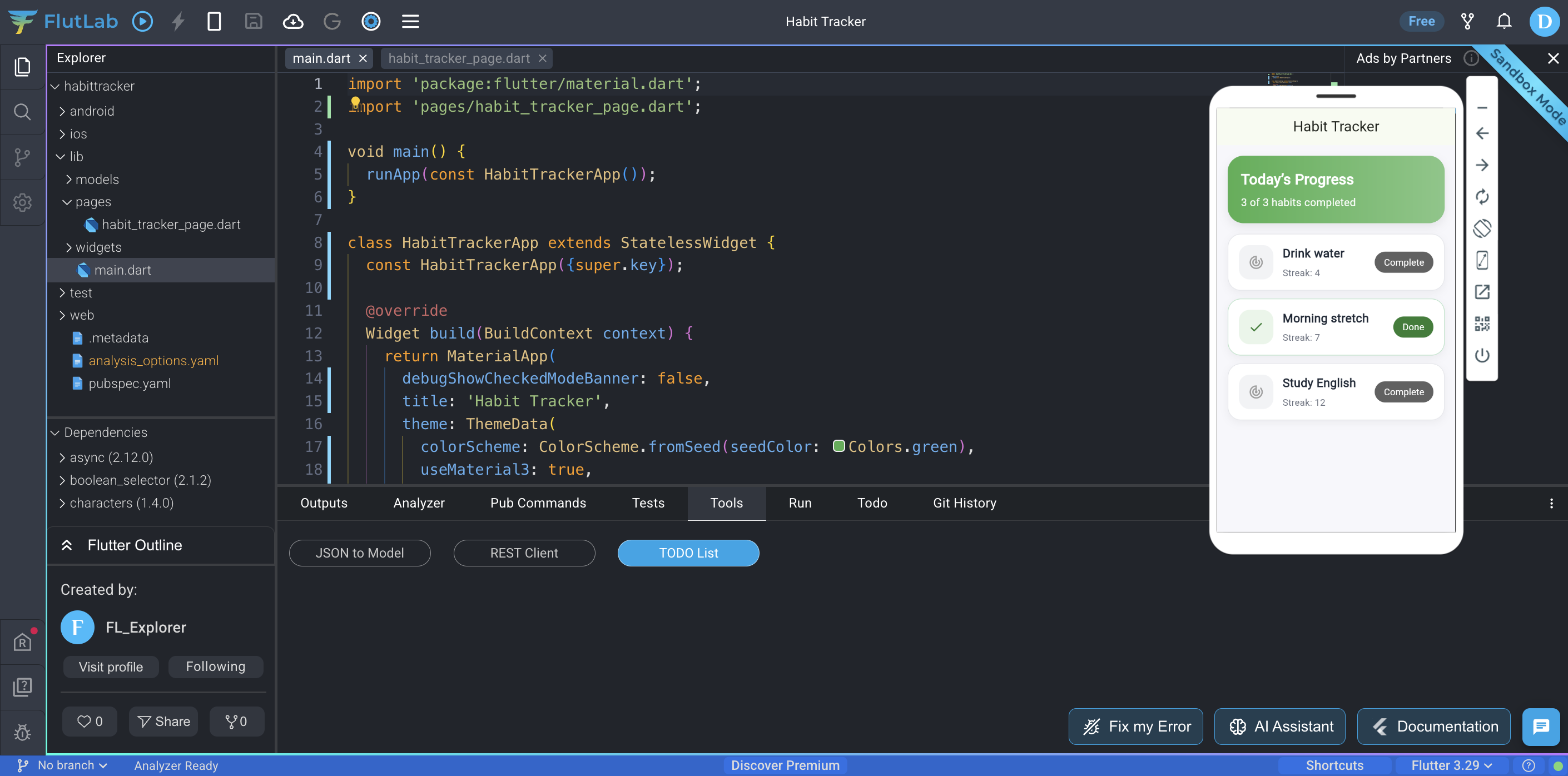
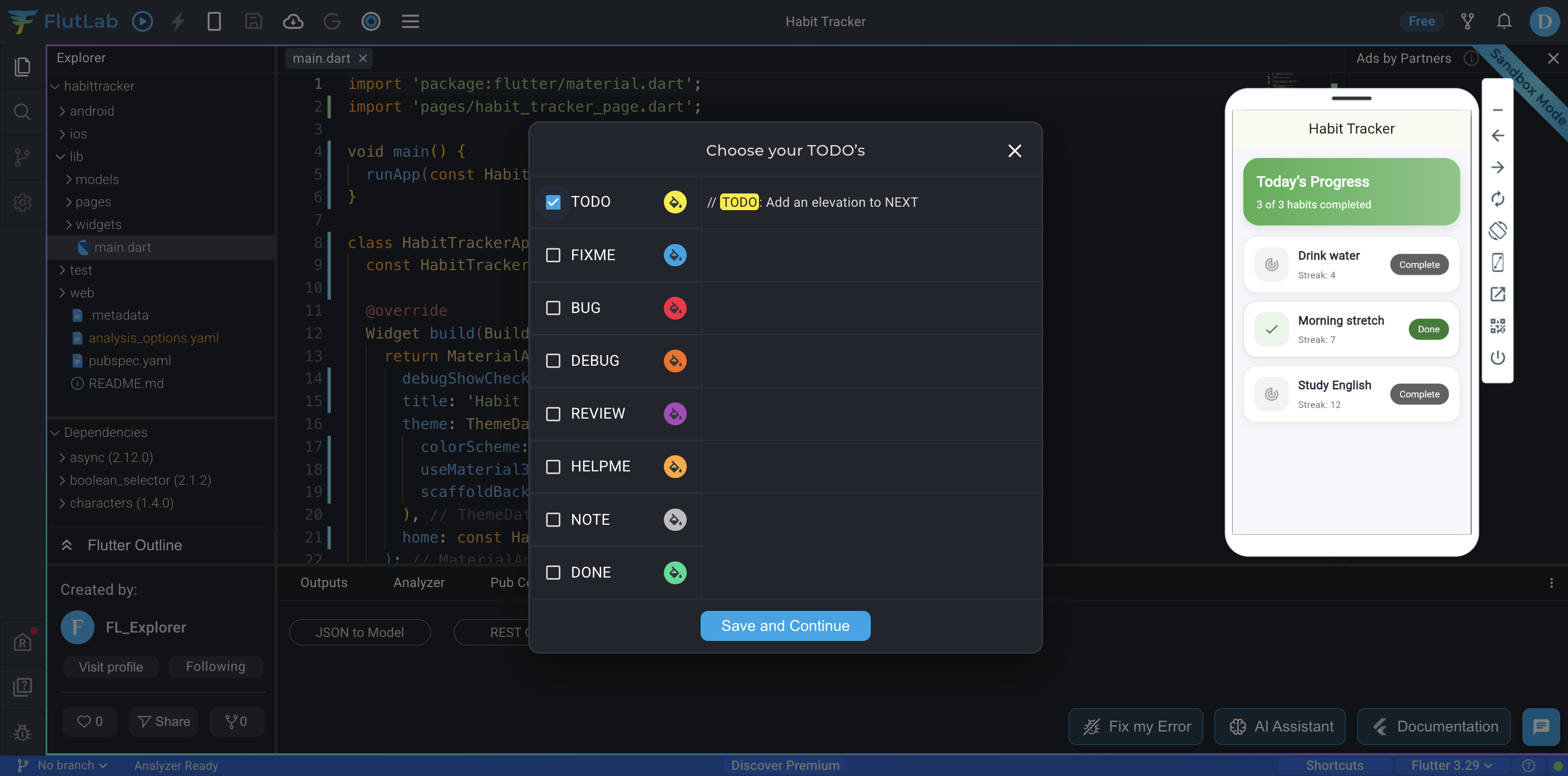
A popup “Choose your TODO’s” will appear.
In this popup:
-
make sure TODO is checked (blue checkmark)
-
click Save and Continue
Expected result:
The TODO feature is activated and ready to use.
Step 02: Open the Todo panel
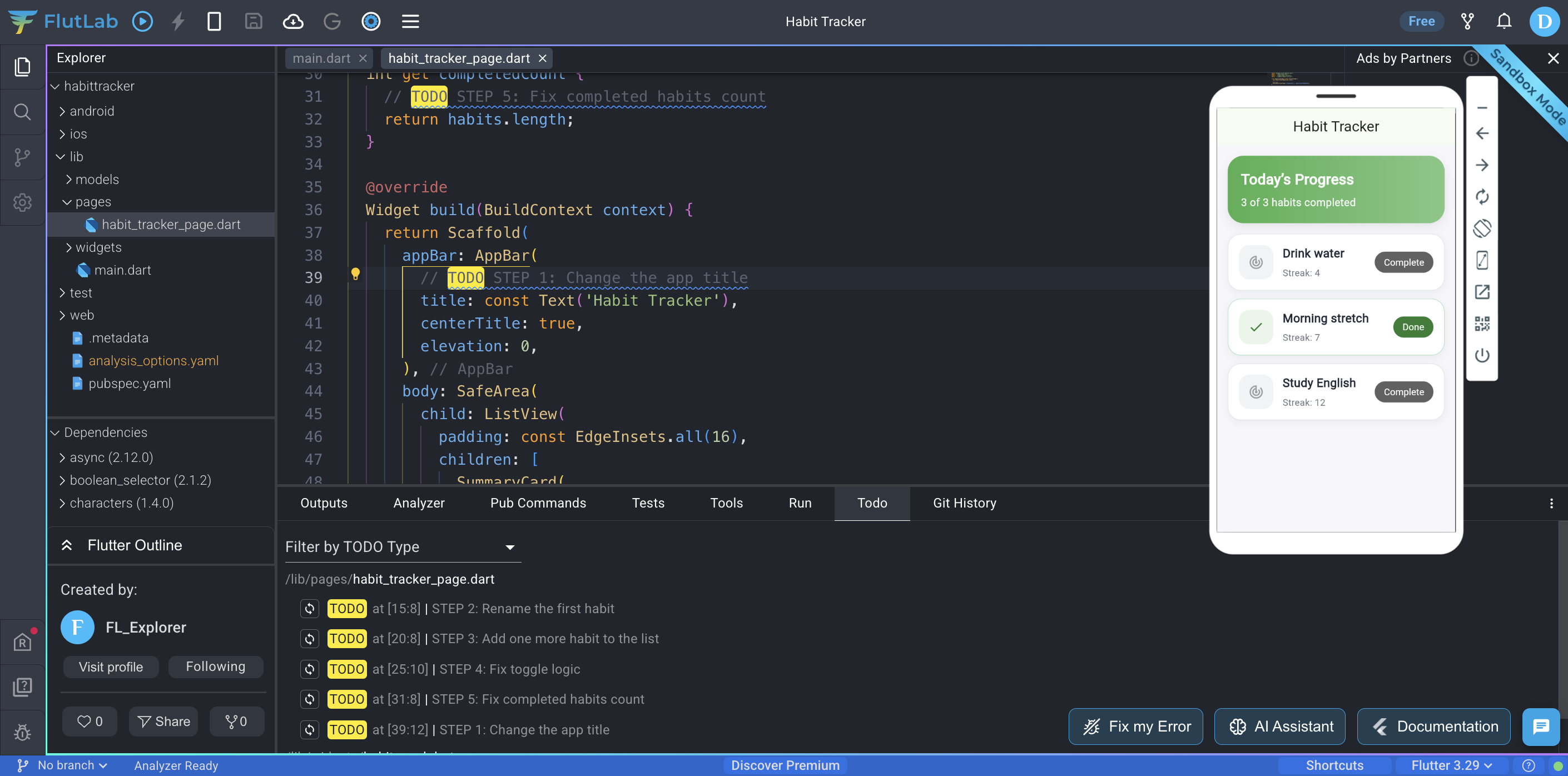
In Sandbox, open the Todo tab in the bottom panel. You will see all project steps listed there.
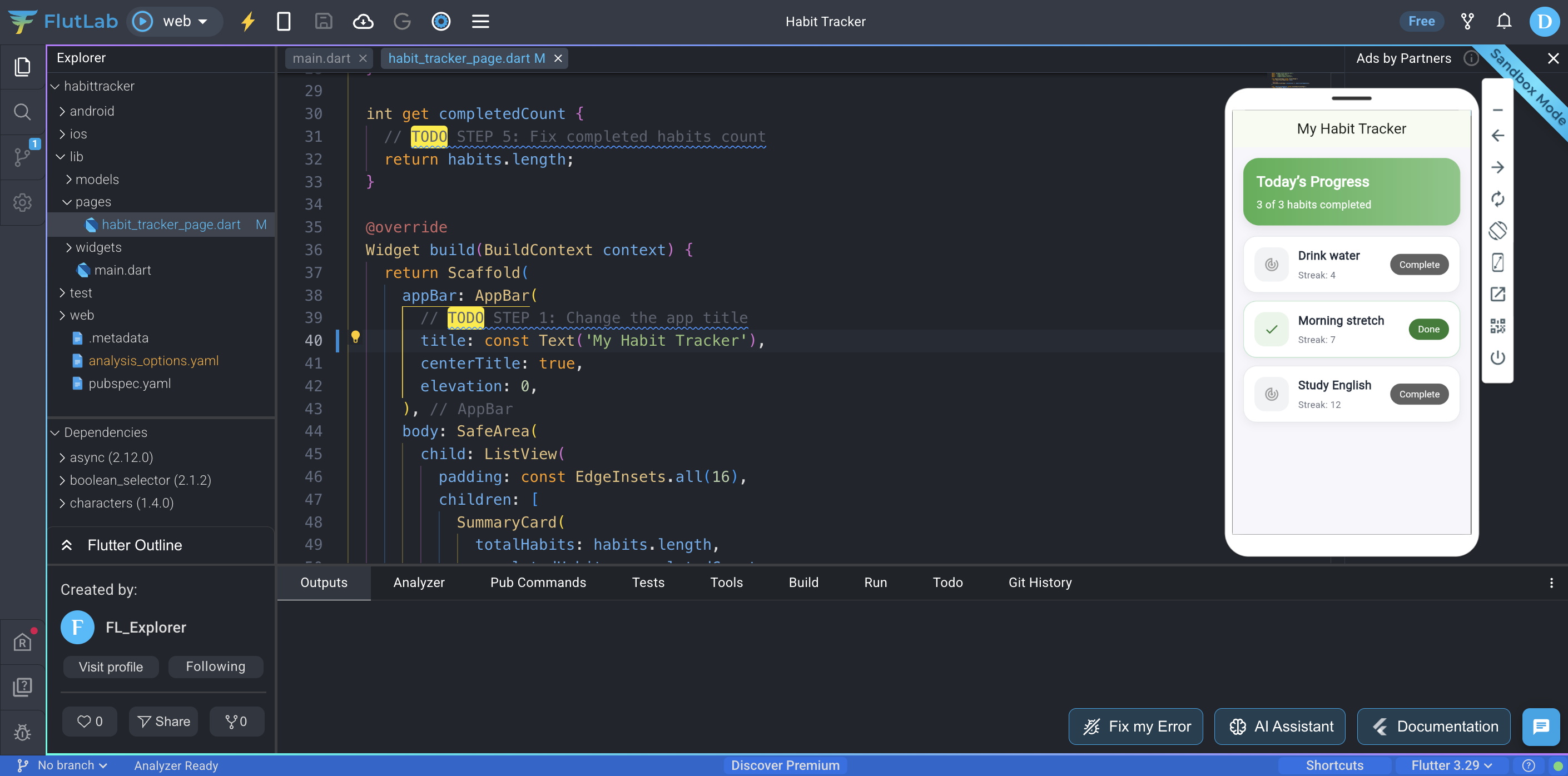
Click STEP 1: Change the app title.
Expected result:
FlutLab opens the exact code location for this task.
Step 1: Change the app title
In the opened file, change:
'Habit Tracker'to
'My Habit Tracker'Press Hot Reload (Ctrl+R) the app.
Expected result:
The title in the top bar should change.
 Step 2: Rename the first habit
Go back to the Todo tab.
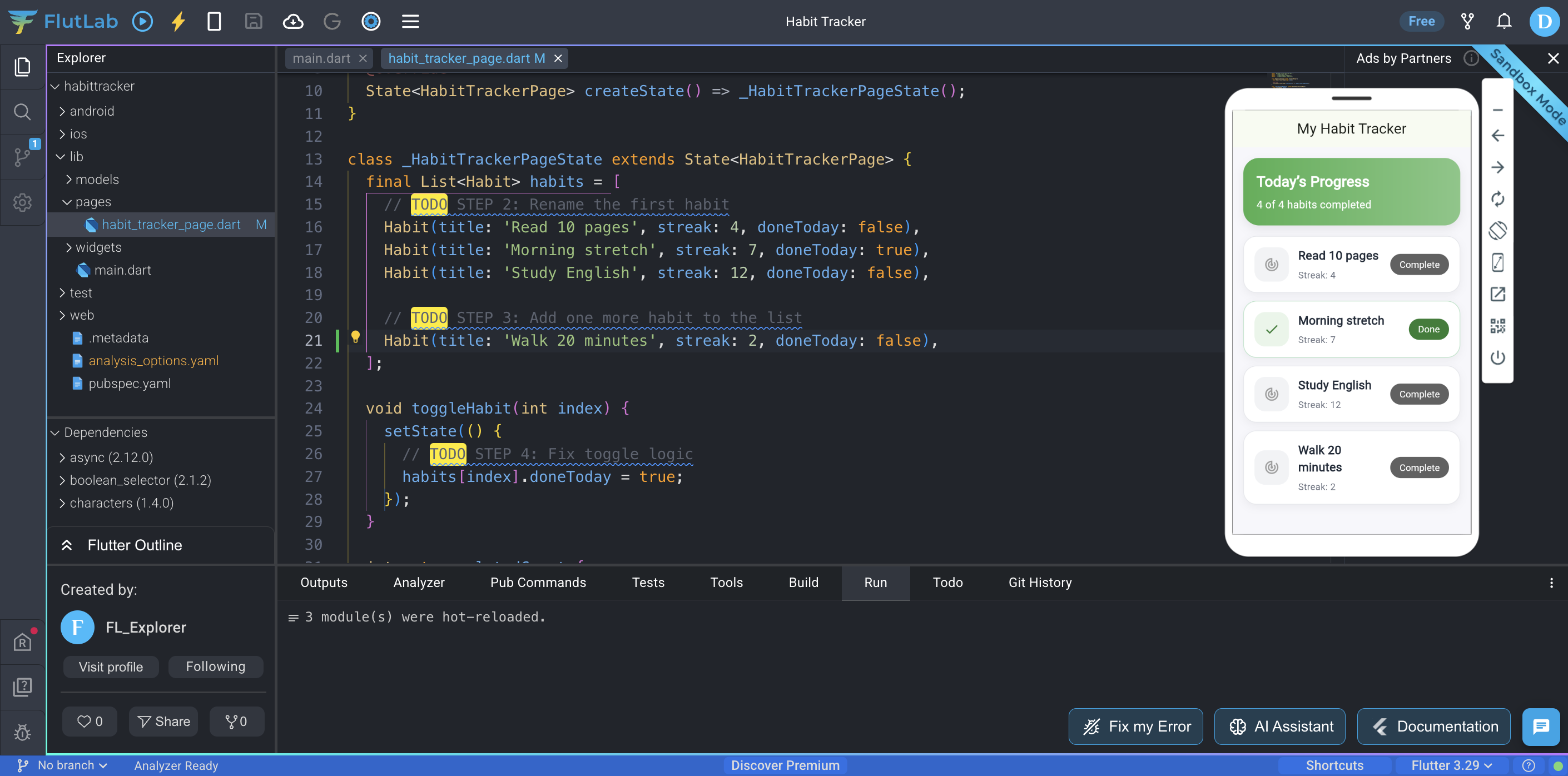
Click STEP 2: Rename the first habit
Change:
'Drink water'to any habit you like, for example:
'Read 10 pages'Press Hot Reload (Ctrl+R) the app.
Expected result:
The first habit card shows the new title.
Step 3: Add one more habit
Go to Todo → STEP 3: Add one more habit
Add a new habit inside the list.
Example:
Habit(title: 'Walk 20 minutes', streak: 2, doneToday: false),Press Hot Reload (Ctrl+R) the app.
Expected result:
A new habit appears in the list.
Step 4: Fix complete button logic
Go to Todo → STEP 4: Fix toggle logic
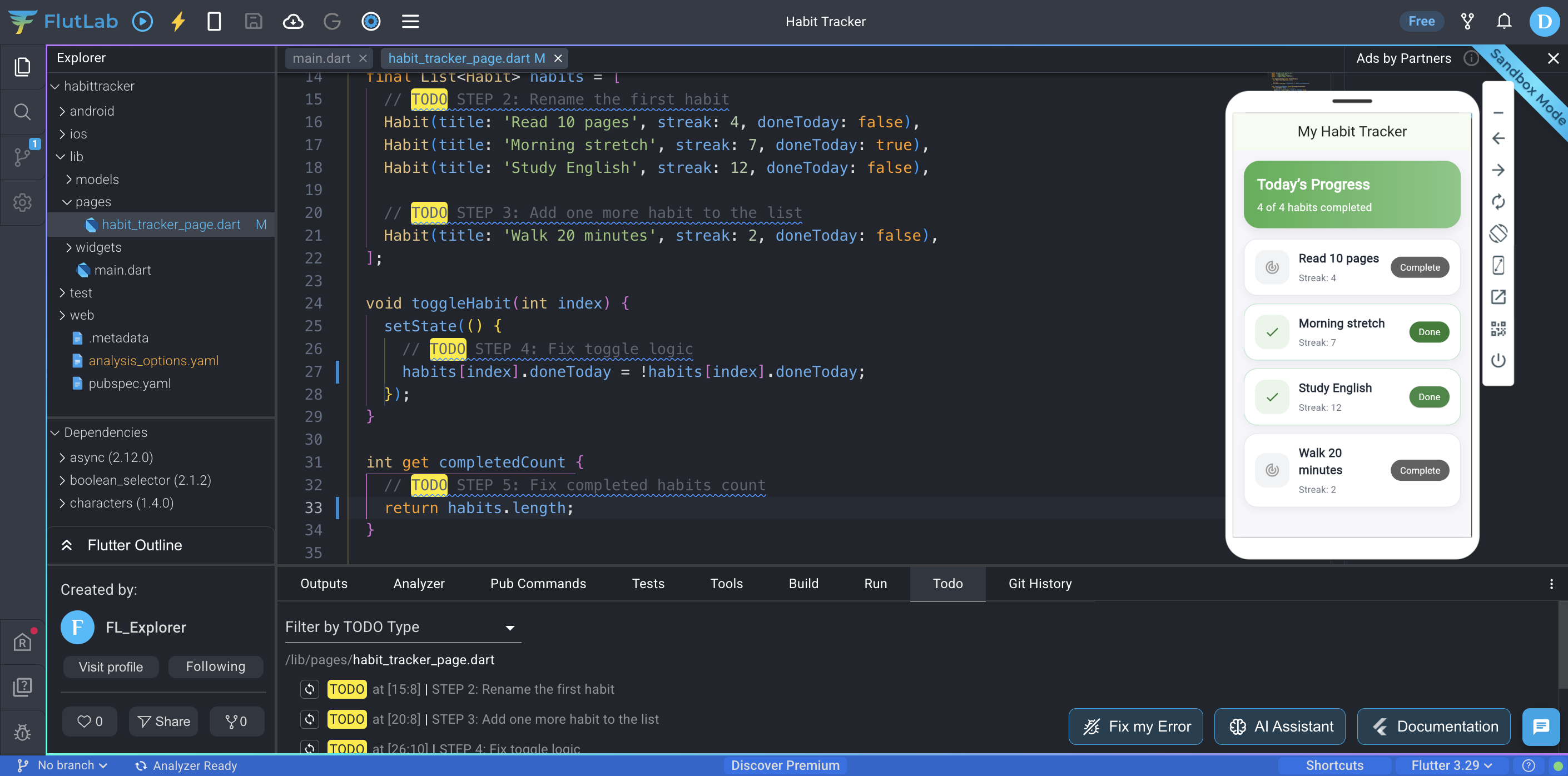
Update the code so it toggles:
-
false → true
-
true → false
Tip:
habits[index].doneToday = !habits[index].doneToday;
Press Hot Reload (Ctrl+R) the app.
Expected result:
The button switches between Complete and Done.
Step 5: Fix completed habits count
Go to Todo → STEP 5: Fix completed habits count
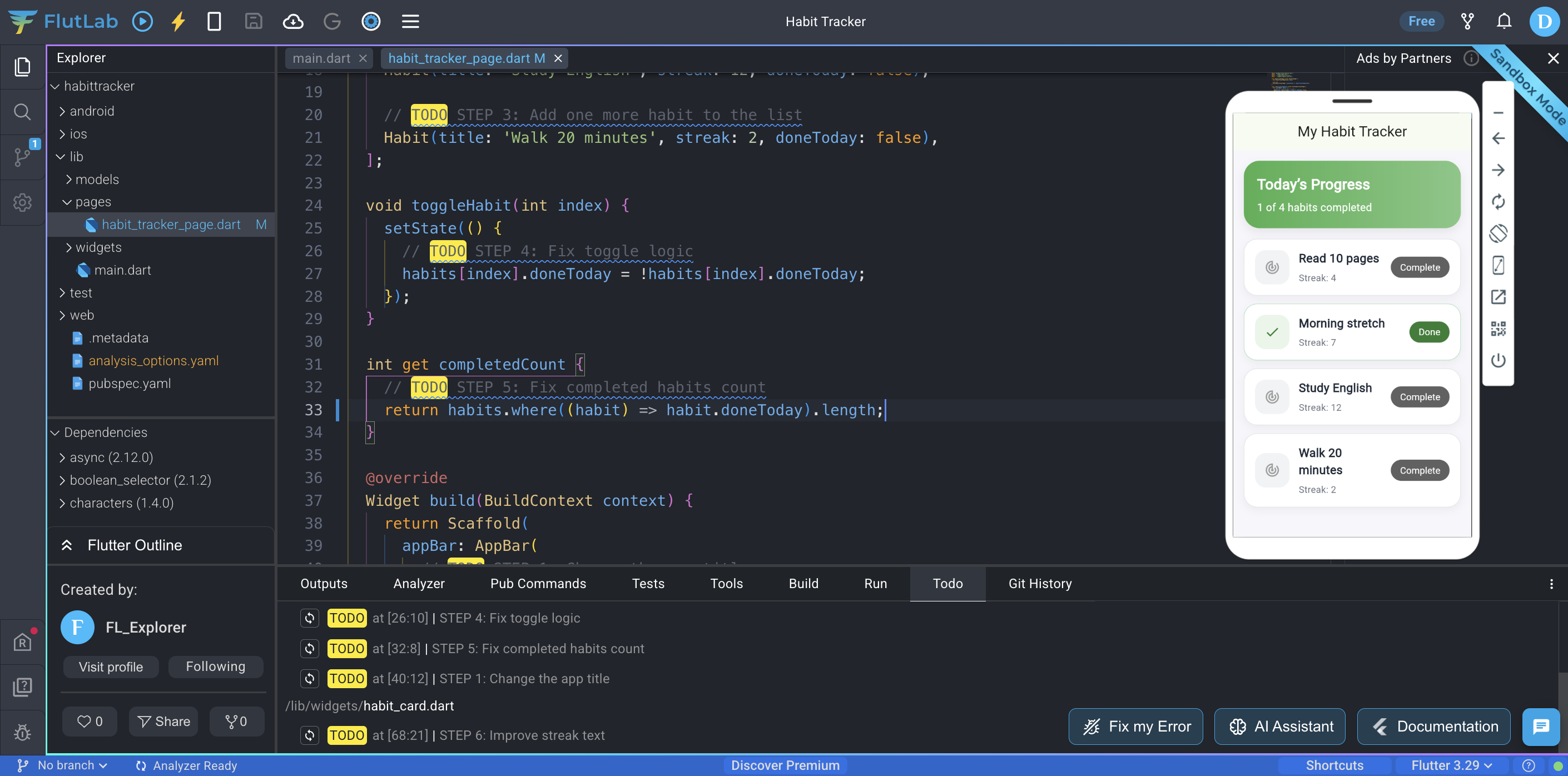
Update the logic so it counts only habits where: doneToday == true
Tip:
return habits.where((habit) => habit.doneToday).length;
Press Hot Reload (Ctrl+R) the app.
Expected result:
The progress card shows the correct number.
Step 6: Improve streak text
Go to Todo → STEP 6: Improve streak text
Change:
'Streak: ${habit.streak}'to:
'${habit.streak} day streak'Press Hot Reload (Ctrl+R) the app.
Expected result:
Each habit shows improved text.
Final result
You just:
-
edited a real app
-
worked across multiple files
-
used Todo navigation
-
fixed logic
-
updated UI